Stock & purchasing
A familiar reference should lead to the right piece. We review SKUs, descriptions, jewellery and watch attributes, prices and quantities against the available export.
Explore stock and buy-insLooking to move on from Bransom or Bsmart? Use Stockbox for your stock, buy-ins, repairs and sales, with a connected website too. We help prepare your records and train your staff before the changeover.
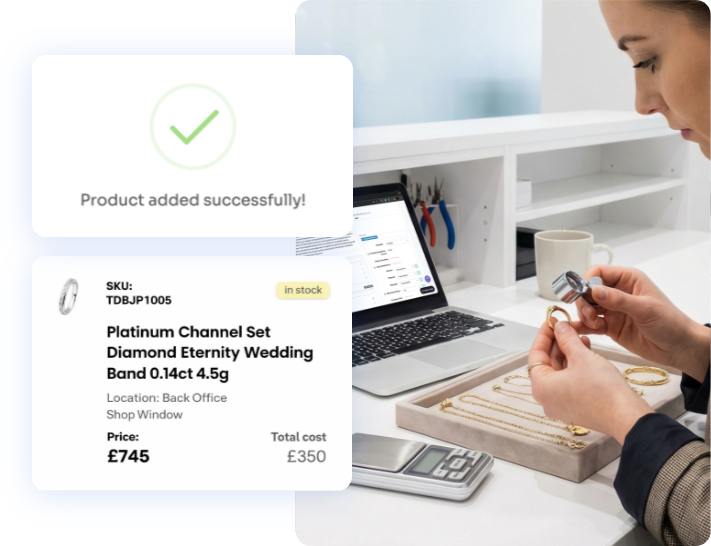
Start with the stock references your team knows and the jobs still waiting to be collected. We check how those records will move, then help staff learn the buying, selling and repair tasks they use every day.
We review how you use Bransom or Bsmart, your everyday processes and what you need from your next system.
Try your usual stock, buying and repair tasks in a demo store with our team.
We inspect available stock, customer and repair exports. Agree which fields can move, what needs preparation and which history will remain separate.
Check a sample stock reference against its description, attributes, price and quantity. Follow an open repair to its customer, then practise the daily tasks.
We plan the final data update, launch checks and timing with you, with personal support as you get started.
We agree the data, services, costs and timing with you before the live move. Preparation takes place in a separate test environment, with launch planned around your shop.
Before a live changeover
A familiar reference should lead to the right piece. We review SKUs, descriptions, jewellery and watch attributes, prices and quantities against the available export.
Explore stock and buy-insWe review names and contact details, then check the customer links in the records we agree to import. Your team helps confirm that sample records belong together.
Explore customer managementWhich jobs are awaiting a quote, which are ready, and which orders remain open? We review statuses, notes and payment records with you and agree where staff will find them at changeover.
See Stockbox repair managementWe review your trading history and confirm what can be imported, with a plan to keep other records accessible separately.
Talk through your recordsWe confirm which records can move after reviewing your version and available exports.

James Ross Jewellers brought a family business with over a century of history onto Stockbox. The team gained stock and customer records, an ecommerce website and practical help with photography and listings.
We need to review your version, available exports and the records you want to retain before confirming the migration scope. We then map and prepare the agreed data, checking it with you in a test environment before launch.
The first step is a conversation about your setup and the data it can export. We agree any access or data-sharing arrangements with you afterwards. Please do not send customer records or login details through the enquiry form.
Yes. Try a watch buy-in with a serial number already on record, replenish an existing stock line or book a repair before its price is agreed. We demonstrate the relevant tasks and give your team one month's free demo-store access.
We review the parts of your current setup and agree the changeover together. Data preparation and training take place before the agreed launch. The exact sequence depends on the systems and integrations your shop uses.
The timescale depends on your records, integrations and training needs. After reviewing your setup, we agree a practical schedule with you.
Yes. The Standard package includes a Stockbox website, and we can help with photographs, listings and eBay. If you already use Shopify, we can connect that website to Stockbox instead. We’ll agree the right package and any extra work with you.
We’ll visit your shop, show you Stockbox and give your team a month’s free demo-store access.
Prefer to speak to us first?
020 4629 3701
For UK jewellers. Live setup and any additional services are agreed separately.
Tell us which Bransom or Bsmart system you use and what you want to improve. Required fields are marked *.